Marketplace sellers

Every marketplace’s money. Separate, organized, one click away.

Amazon, Walmart, Etsy — each settles into its own account. Ads cards spend only what that channel earned. QuickBooks stays current. And every ad you buy earns cashback.

$87.45$90,242.00$34,160$24,882$31,200
$87.45$90,242.00$34,160$24,882$31,200

More marketplaces shouldn't mean more money to untangle.

A separate account per sales channel used to mean a branch visit and a stack of paperwork. On Fluz, accounts are created, not applied for, and everything downstream stays connected.

One click, one account

Hit + and Amazon, Walmart, or Etsy gets its own account and routing numbers. No paperwork.

Payouts land sorted

Point each marketplace's payouts at its own account. Settlements arrive already separated.

Cards spend by channel

Each ads card draws on the channel that funds it, with the billing details its console expects.

An API for all of it

Create accounts, issue cards, and stream every settlement and charge from your own code.

One flag, one card

A flagged card freezes alone. Ads on every other marketplace keep running while you swap it.

Books close themselves

Channel, card, and campaign tags sync to QuickBooks as charges happen. Month-end is done.

Everything a seller needs to manage settlements, from payout to reconciliation.

Get paid

New marketplace? New account. Just click +.

Name the account after the channel and set it as your payout destination. The next settlement lands directly in, earmarked for that marketplace from the moment it arrives.
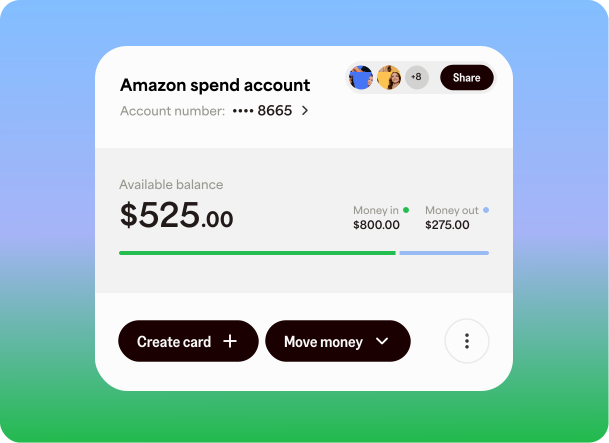
Account and routing numbers per marketplace
Nickname each account by channel
Settlements arrive ready to spend
Marketplace spend account with balance, money in and out, and sharing
Spend

A unique ads card for every marketplace

Each card pulls from its marketplace's account and carries the exact cardholder name and billing address that ads console expects, which means fewer declines and cash back as it spends.
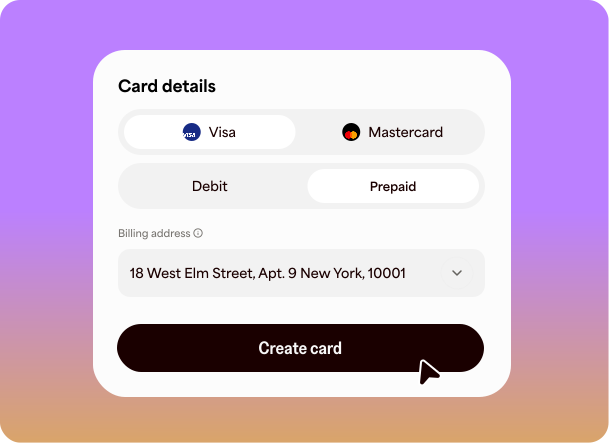
Custom billing address with AVS match
Unique card per marketplace and billing profile
No international transaction fees See terms
Card details form choosing network and card type
Control

Each teammate gets just their cards

Issue every ads manager their own card with the rules built in: platform locks, spending limits, role-based access. They get the channels they run, not your entire operation.
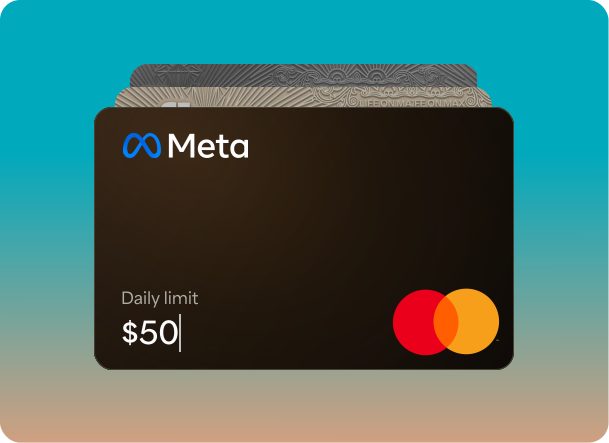
Lock cards to one console, like Amazon Ads
Per-card limits and role-based access
Shut a card down in one tap
Ads card with a daily spending limit being typed in
Reconcile

Month-end is already done

Every charge carries its memo, category, and channel tag. Each maps to its marketplace, card, and campaign, then syncs to QuickBooks. Channel P&L comes straight from the ledger, not a rebuilt spreadsheet.
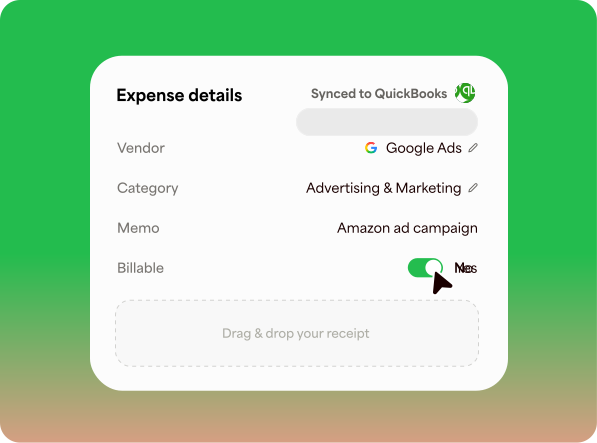
Unified ledger across all spend accounts
Memos, categories, and channel tags
Auto-sync to QuickBooks
Expense details synced to QuickBooks with billable toggle
API

Run all of it from your own stack

Everything on this page is an endpoint. Spin up an account when you launch a channel, issue a card when a campaign starts, and stream every settlement and charge into your own reporting.
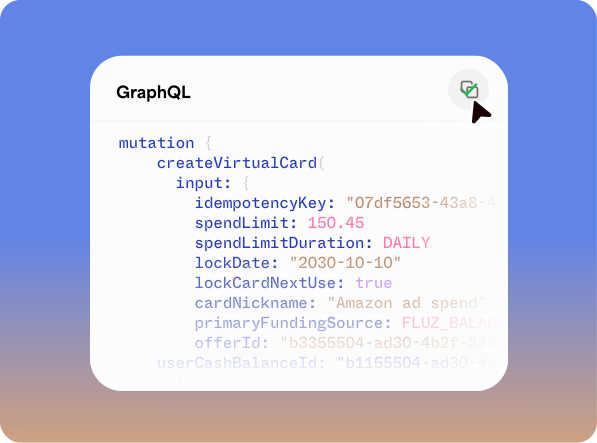

Create accounts and issue cards by API
Webhooks for settlements and card activity
Full reference at docs.fluz.app
GraphQL mutation creating a virtual card

Earn cashback on ads you were buying anyway.

Sponsored placement is the biggest line you control. Fluz turns that required spend into instant cashback that drops straight to your margin. See terms

Instant, not monthly

Cashback hits your balance the moment the charge settles, not at the end of a statement cycle.

Every card earns

Cashback applies across your virtual cards, on every eligible charge, on every marketplace.

Margin, not points

Required ad spend comes back as pure margin on the books.

Frequently asked questions

How do marketplace settlements reach a spend account?
Every spend account has its own virtual account and routing numbers. Nickname the account after the marketplace, enter those details as the payout method in that marketplace's seller settings, and every settlement deposits directly in, ready to spend.
Can I use Fluz cards on marketplace ads consoles?
Yes. Fluz cards are issued through our partner-bank network and work anywhere cards are accepted, including Amazon Ads, Walmart Connect, and the other major marketplace and social ad platforms.
What happens if an ads console flags a card?
Because every billing profile has its own card, a flag stays contained. Freeze the card, create a replacement with the same billing details, and ads on your other channels keep running.
Are there international transaction fees?
No international transaction fees. Sell and advertise on international marketplaces and pay in other currencies without an added percentage on each charge.
How does the QuickBooks sync handle channel reporting?
Every charge carries its memo, category, and channel tag, and syncs to QuickBooks automatically, so per-marketplace P&L comes straight from the ledger instead of a spreadsheet you rebuilt at month-end.
Is there an API?
Yes. Accounts, cards, transactions, and webhooks are all available programmatically, so you can create a spend account or issue a card the moment your system needs one. The full reference lives at docs.fluz.app.
How fast can I get set up?
Minutes, not weeks. Connect QuickBooks, set up your funding sources, add a spend account per marketplace, invite your team, and create cards for each. From there, set each account as that channel's payout destination and you're settling.

Your next marketplace already has an account waiting.

Create its account, point settlements at it, and buy ads from day one. Set up in minutes.