
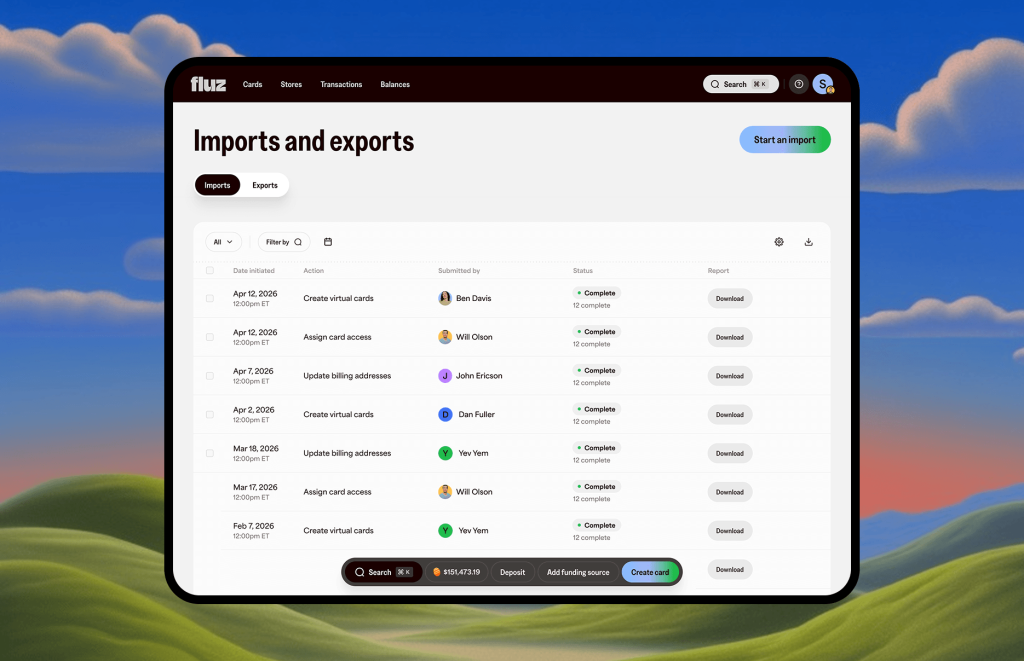
Fluz virtual cards are already built to bend to your business — cashback as you spend, custom billing addresses as needed, spend limits, merchant locks, role-based access. Now you can create them by the hundreds in one go. Upload a CSV, one row per card, and every detail you'd normally set by hand rides along in the file: the billing address, the limits and rules, the funding source, even who the card is shared with. What used to be an afternoon of clicking is a single import.
It all starts with customizable virtual cards
First, the cards themselves. Every Fluz virtual card is configurable down to the detail — the merchant it works with, the limits it carries, who can use it — so it fits your operation instead of the other way around.
Earn cashback as you spend.
Fluz virtual cards earn cashback across a wide range of merchants — so for a high-volume card operation, spending you'd do anyway can turn into a real return. Issue a fleet of cards, and the rewards add up across everything you run through Fluz. Cashback rates vary by merchant.
The right billing address, every time.
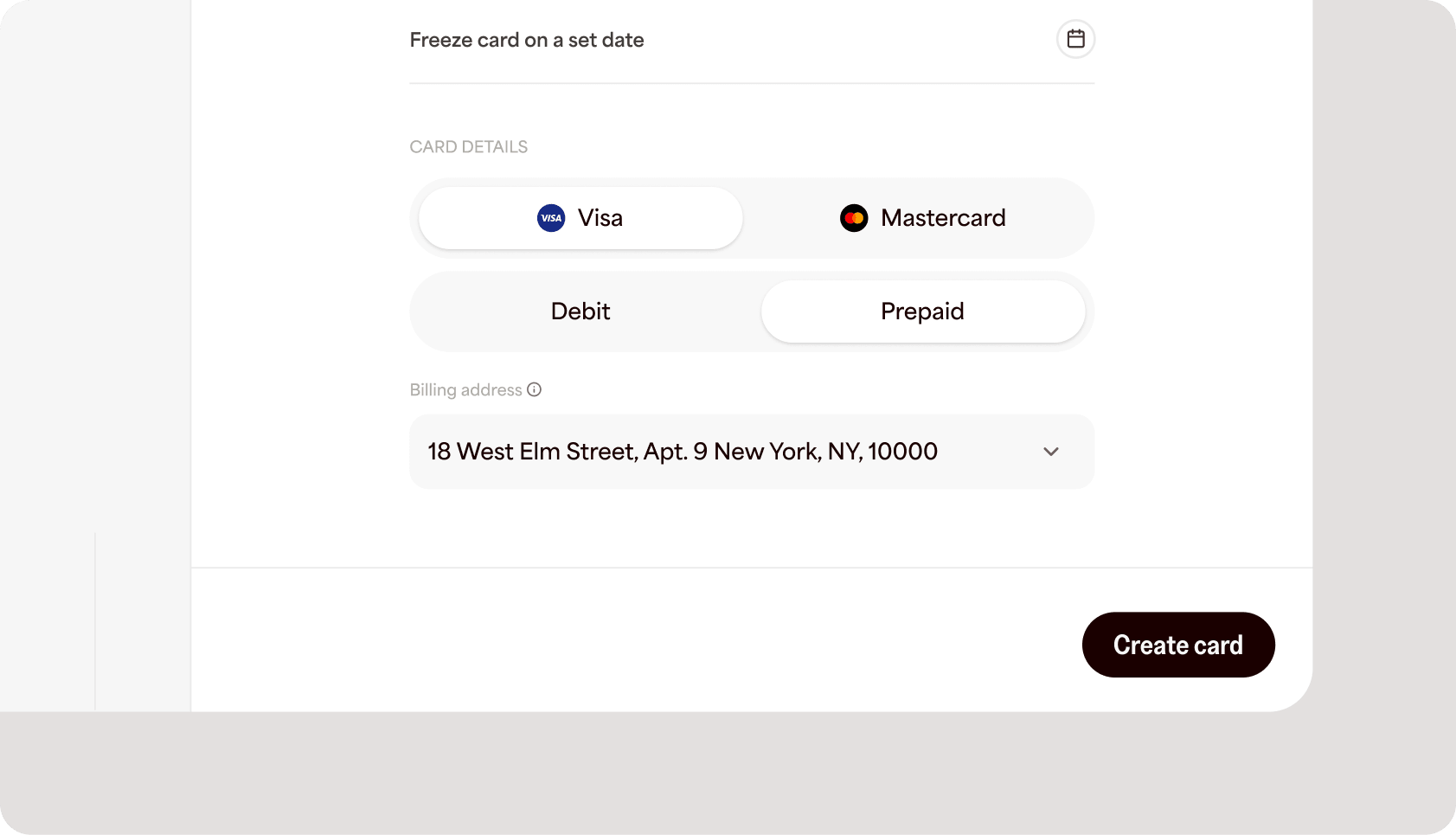
Address mismatch is one of the quietest causes of a declined transaction. Card networks run an address check (AVS) at checkout, and when the billing address on file doesn't match what the merchant expects, the payment can fail. For travel agents booking on behalf of clients, resellers shipping across regions, and anyone operating out of multiple locations, that friction adds up. Set a specific billing address on each card, and legitimate purchases clear the first time.
Limits and rules, baked in from the start.
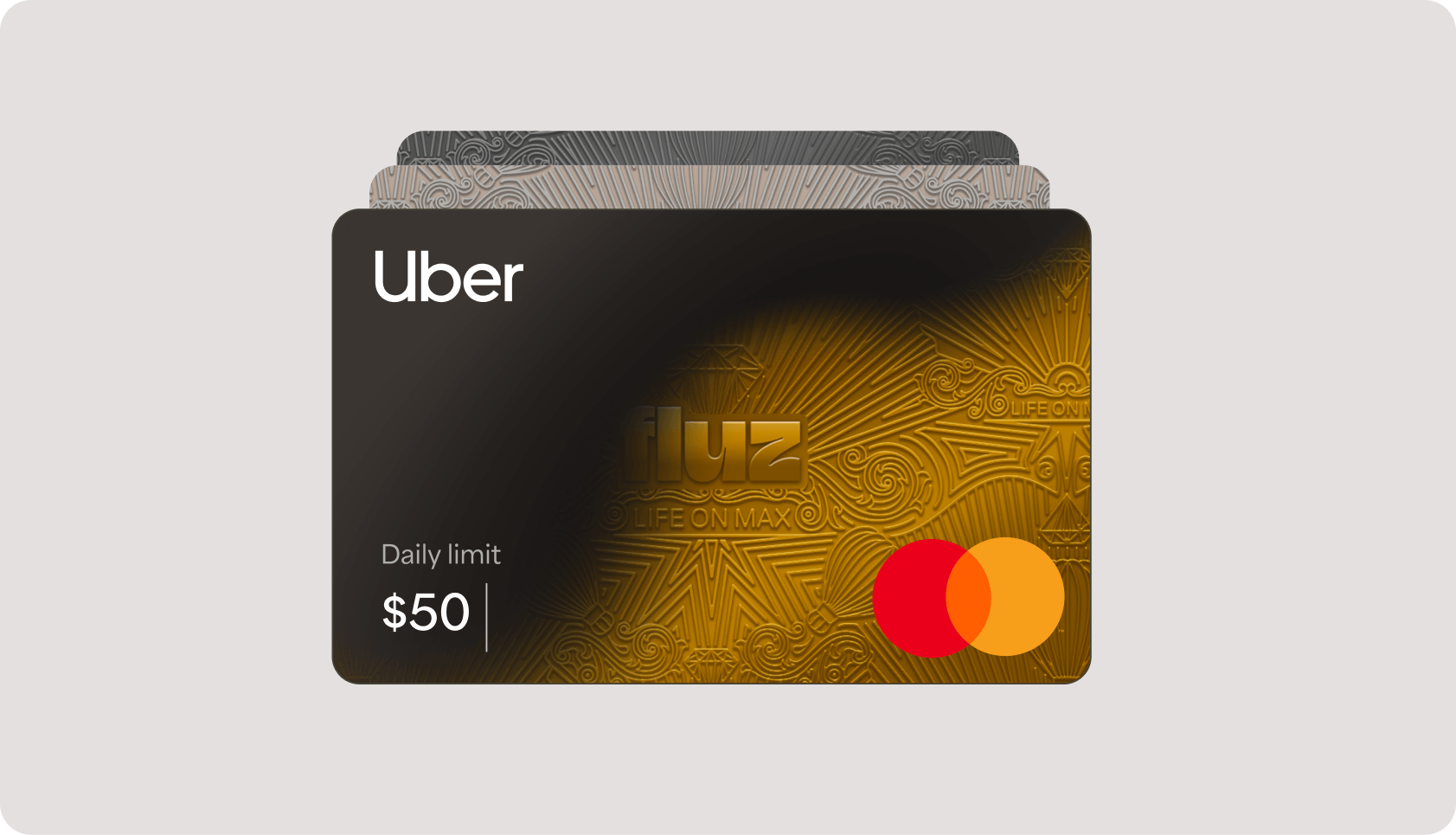
Set a spending limit and choose when it resets, lock a card to one brand or a single merchant category, make it single-use so it closes after one transaction, or set an auto-lock date for trials and subscriptions. The controls travel with the card, so spend stays inside the lines without anyone watching it.
Share the card, not the risk.
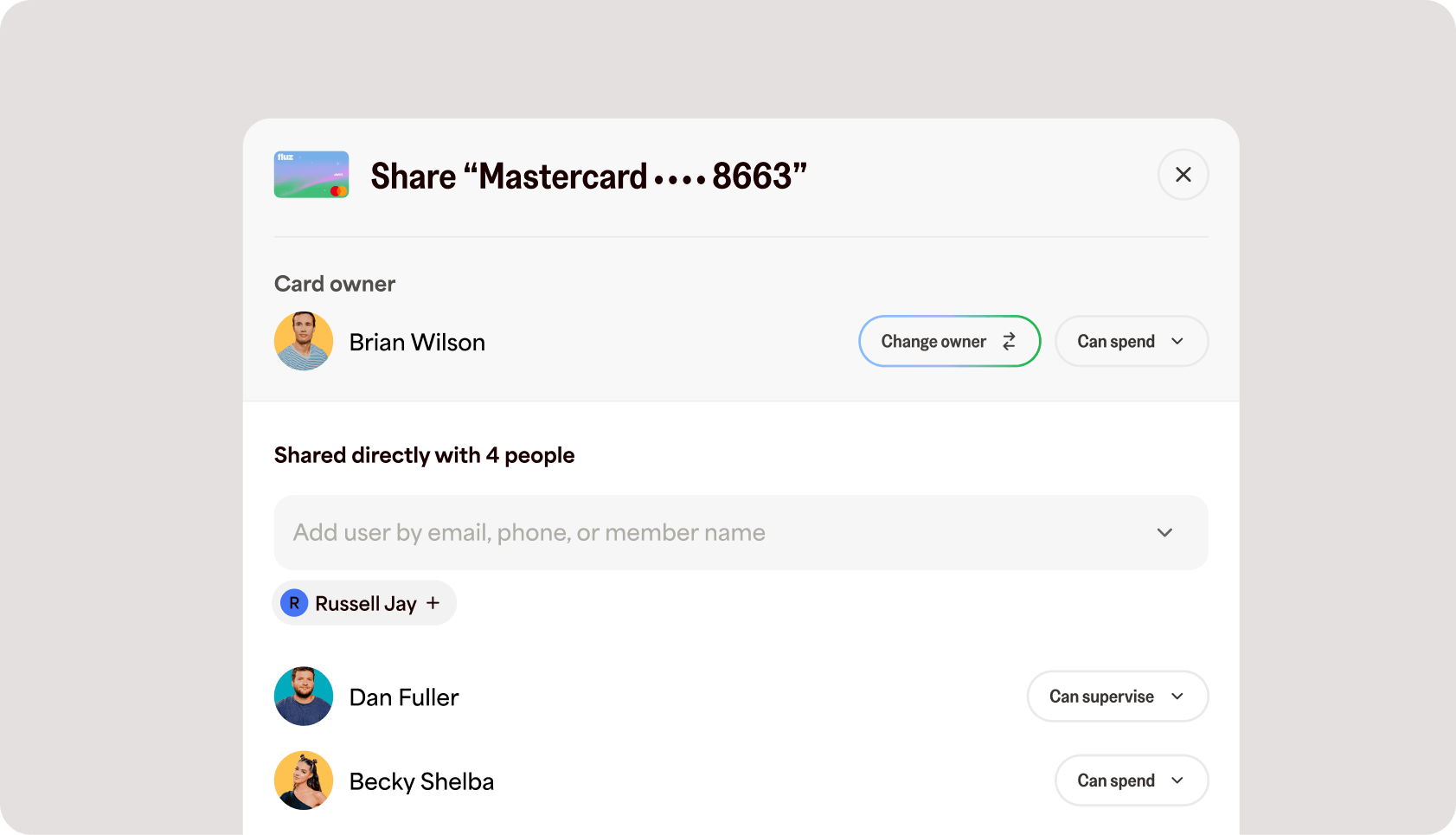
A card rarely belongs to one person. With role-based access you decide who can view details, who can spend, and who can manage a card — so a contractor can use a card without changing its limits, and an admin keeps full control. Everyone gets exactly the access they need, and nothing more.
Now create them by the hundreds
Everything above used to happen one card at a time. Now it all happens in a single import action — Create virtual cards. One row per card, one column for every setting, and Fluz issues the whole batch at once, each card fully configured and ready to use the moment the import finishes.
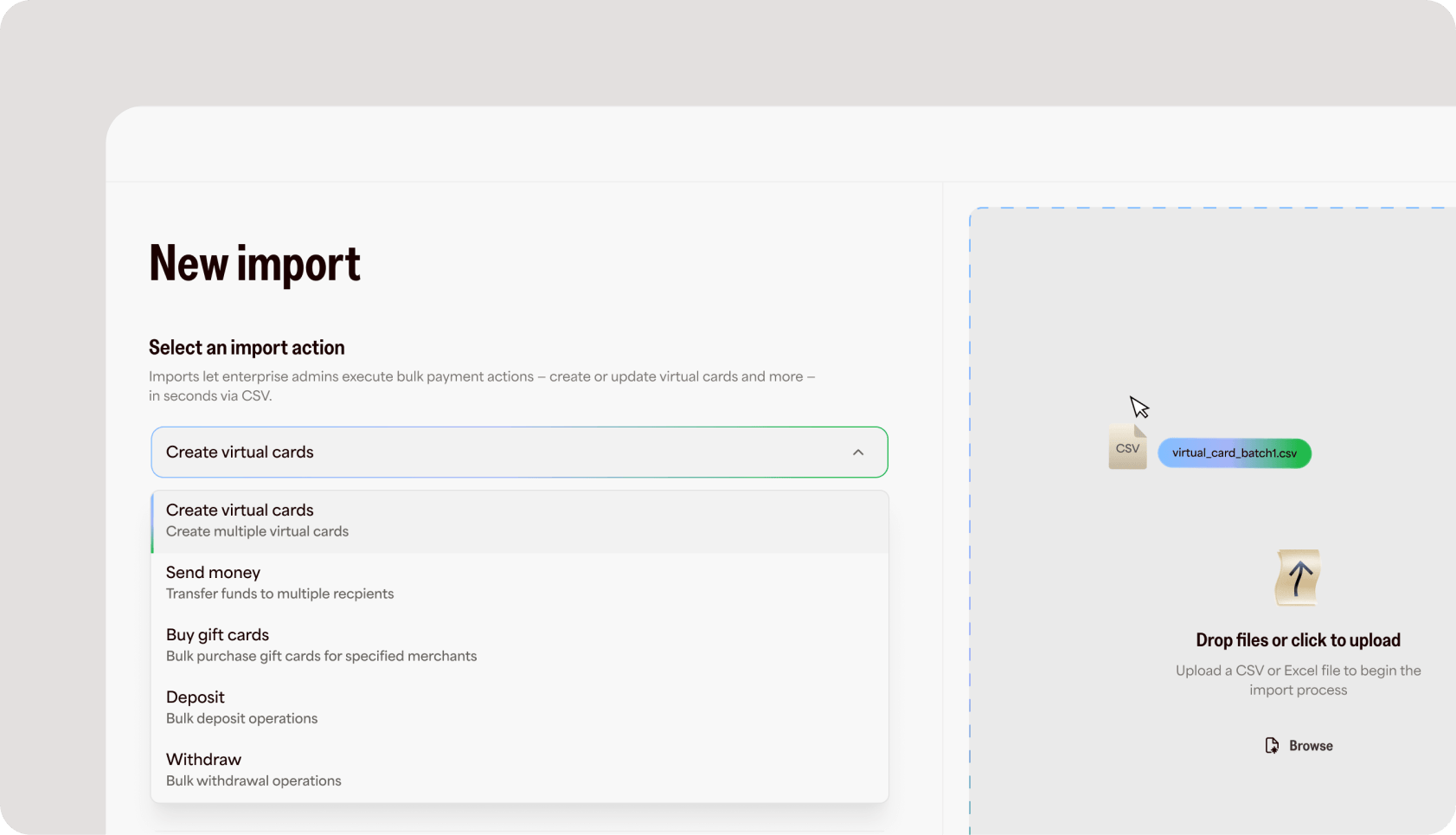
The power is in how much a single row can carry. Everything you'd set on a card by hand is just a column in the file:
- Billing address. A specific address per card, so an entire batch is set up to clear AVS from the first swipe.
- Spending limits. A max amount and how it resets — daily, weekly, monthly, annual, or lifetime.
- Merchant and category locks. Lock a card to one brand, or restrict it to a single merchant category.
- Funding source. Fund from your Fluz balance, rewards, prepayment, or a linked bank account.
- Lifecycle rules. Set an auto-lock date, or make a card single-use so it closes after one transaction.
- Shared access. Share a card to a teammate's email with the right role — Viewer, Spender, Manager, or Admin.
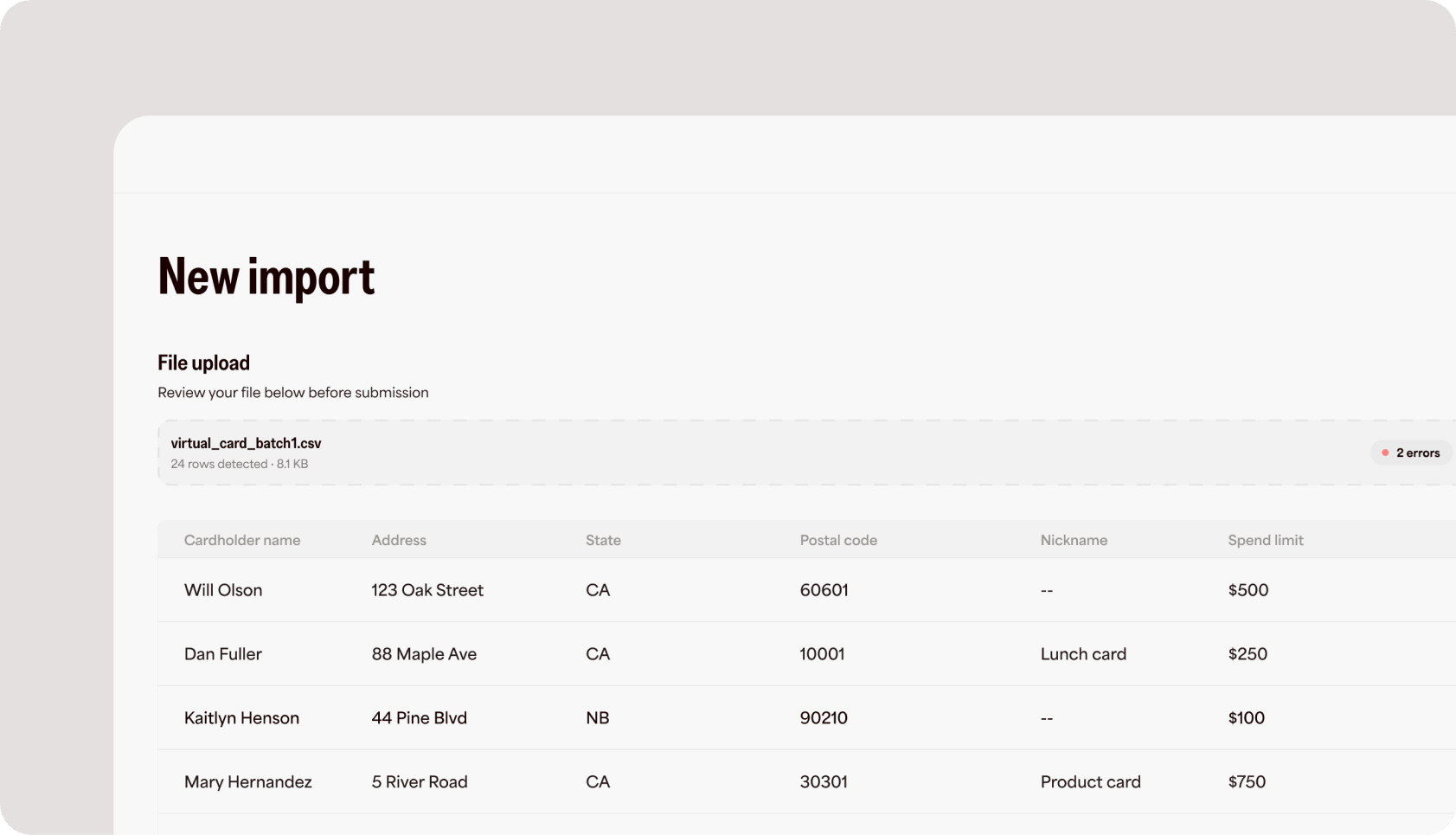
Not sure where to start? Download the sample CSV template to see every field and how it maps.
How a bulk import works
The import follows the same three steps, and the file does the rest.
- Upload a CSV of the cards you want to create — one row per card.
- Map and review your columns to the right fields. Fluz validates every row and flags issues before anything changes.
- Commit, and the whole batch is created at once. Export anytime for records.
Where bulk earns its keep
Bulk is built for the businesses that outgrew one-card-at-a-time. A few of the operations it's built for:
- Ticket brokers and resellers. Spin up a batch of cards for a new event or drop, each carrying the right billing address to clear AVS from the first swipe.
- Travel agencies. Book on behalf of clients with the correct billing address on every card, so legitimate charges go through instead of falsely declining.
- Finance and operations teams. Hand controlled cards to staff and contractors with role-based access, spend limits, and merchant locks — applied across the whole roster at once.
- Vendor and subscription management. Issue a dedicated, rule-bound card per vendor or client for clean reconciliation and one-click shut-off.
- Partner onboarding. Stand up a new partner's entire set of cards in minutes, then export the batch for your records.
This is just the start
Creating virtual cards is where bulk starts, not where it ends. It's the same import engine we're bringing to the rest of Fluz, so the actions that eat your time today become a single upload too. On the roadmap:
- Send a virtual card. Deliver cards straight to recipients, in bulk, by email or phone.
- Send money. Pay out to people, contractors, and partners across a whole list at once.
- Buy gift cards in bulk. Purchase across brands in a single import.
- And much more. If it's a job you do one at a time today, it's a candidate for bulk.
Built for scale, and for the rules that come with it
Bulk power comes with bulk responsibility. Every card issued through Fluz runs on the same regulated rails, identity checks, and network requirements as a single card — the volume changes, the guardrails don't.
The guardrails behind it: every card is issued under a KYC/KYB-verified Fluz business account; cardholders are responsible for accurate, truthful billing and recipient information; all cards follow Visa and Mastercard network rules and Fluz's acceptable-use policy; every bulk action is logged and auditable; and Fluz operates under SOC 2 Type II controls, handling card data in line with PCI DSS.
Stop issuing cards one at a time
Bulk import is available now for Fluz for Business. Turn your next card rollout into a single upload.