
Month-end close has a familiar rhythm. Pull up a transaction, figure out which account funded it, pick a category, hunt down the receipt, then re-enter all of it into the accounting system. Multiply by every transaction, every month.
Fluz now connects to QuickBooks Online so that work happens once, where the spend happened. Connect your QuickBooks company, finish the accounting details in Fluz, and export completed transactions to QuickBooks as clean, documented journal entries.
Key takeaways
- Everything on Fluz flows to your books: card spend, gift cards, bill payments, money movement, and the cashback your business earns.
- Connect a QuickBooks Online company and Fluz imports the accounting references you already use, so coding in Fluz uses the same chart of accounts your bookkeeper sees.
- Set default coding on cards and spend accounts once, and transactions arrive pre-categorized; add memos, receipts, and billable status where you want them.
- Eligible transactions export as balanced journal entries, duplicate-safe, with available receipts attached in QuickBooks after the entry is created.
Everything on Fluz, flowing to your books
This isn't a card-spend-only integration. The full range of activity on your Fluz account can flow into QuickBooks: virtual card purchases, gift card purchases, bill payments, and money movement like deposits, withdrawals, and transfers between accounts. Even the cashback your business earns syncs as income, mapped to the account you choose, so rewards land in your books instead of going uncounted.
That completeness is the point. When only part of your activity reaches the accounting system, the rest becomes month-end archaeology. When all of it flows, close becomes a review.
Connect and map your accounts
Setup starts in Apps & Integrations. Authorize your QuickBooks Online company and Fluz imports the reference data your accounting already runs on, so categorization in Fluz uses the same chart of accounts your bookkeeper sees in QuickBooks.
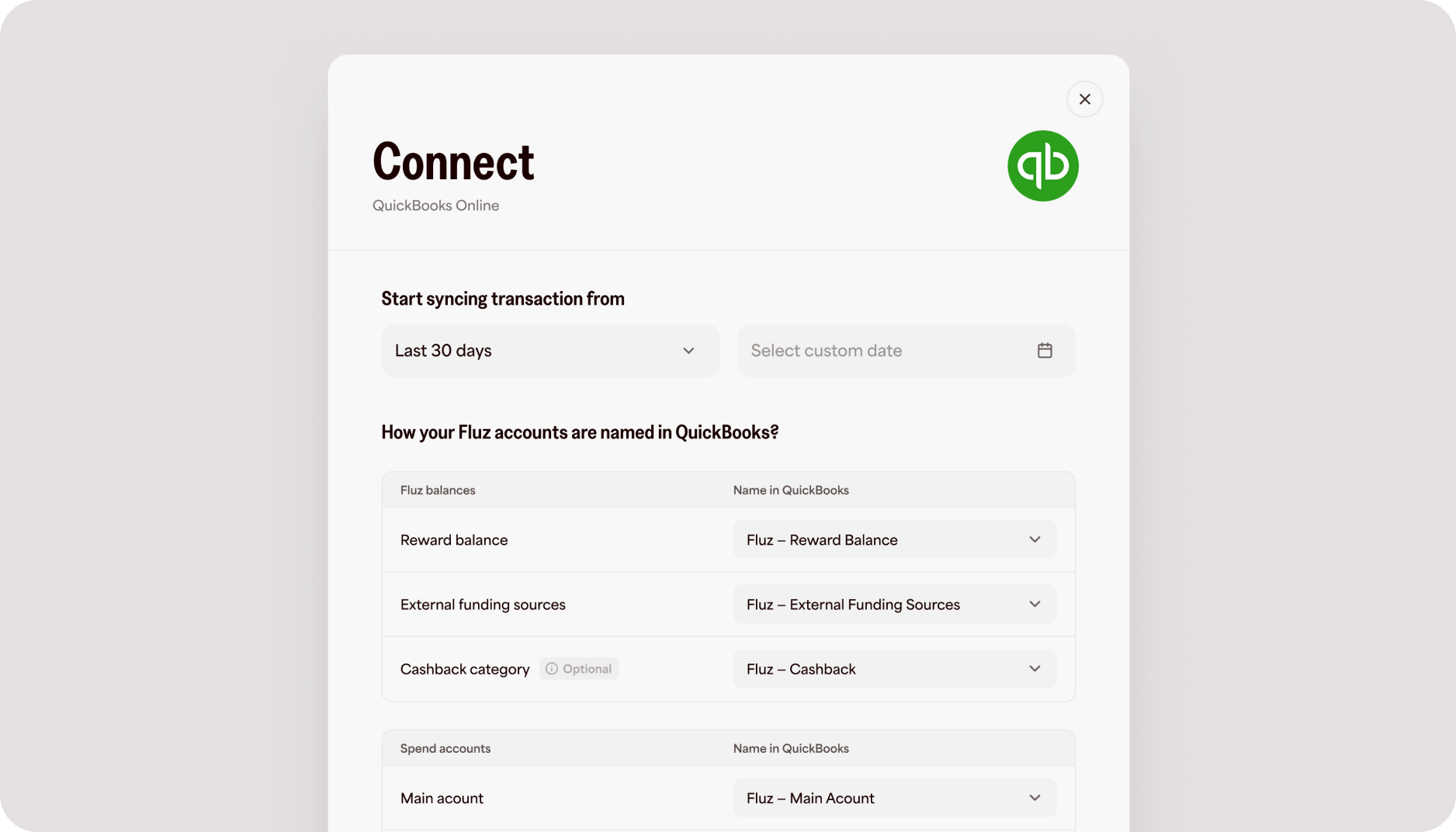
Then map your money. Each Fluz spend account maps independently to a QuickBooks account, and external funding sources like linked bank accounts and cards each get a dedicated clearing account, kept separate so your bookkeeper can reconcile each source against its own bank or card feed. Rewards, gift card prepayment, reserve balances, fees, and cashback map to their own accounts where applicable.
Coded at the source
Set a default memo and category on a card or spend account once, and every transaction it funds arrives already coded. Your team spends; the categorization is done before anyone looks at it.
For everything else, complete the details on the transaction itself: category, vendor, memo, receipt, and billable status. The category is generally required before export, which means nothing arrives in QuickBooks uncoded. If a vendor doesn't exist in QuickBooks yet, Fluz can create it for you. And the transaction view shows where everything stands: needs review, ready to sync, syncing, synced, or needs attention, so review happens before export, not after.
Export as balanced journal entries
When a transaction is ready, sync it from its details view. Fluz exports it to QuickBooks as a journal entry, and that format is deliberate: a single Fluz purchase can draw from multiple balances and funding sources, and a journal entry represents every line while staying balanced. Debits equal credits before anything is sent, and each export carries its own duplicate protection, so a retry never doubles your books.
Available receipts are attached to the journal entry in QuickBooks after it's created. If a receipt upload hits a snag, the journal entry stands and the receipt retries separately, so a file problem never unwinds finished accounting.
Stay in control of what syncs
You choose the start date for what's eligible to sync, and transactions before that boundary stay visible in Fluz without flowing into your books. After your first successful export, the boundary locks, a deliberate safeguard so the accounting meaning of already-exported activity can't change underneath you.
You decide when each transaction exports. There's no unattended background posting, and if QuickBooks authorization expires or an accounting period is closed, Fluz surfaces the issue with a clear path to resolve it.
QuickBooks Online sync is available now for eligible Fluz accounts. Connect your company from Apps & Integrations in Fluz, and close the month in minutes instead of weekends.